
Can the control panel and firmware be customized?
Share:
-

-

-

-


Copied

Share:
-
-
-
-
Copied
Generally, the control panel and firmware of a home slush machine can be customized. The extent of customisation, however, can vary from swapping out icons for prints to creating new drink programs, protection functions, and user-interface behaviour as well as new temperature-control logic.
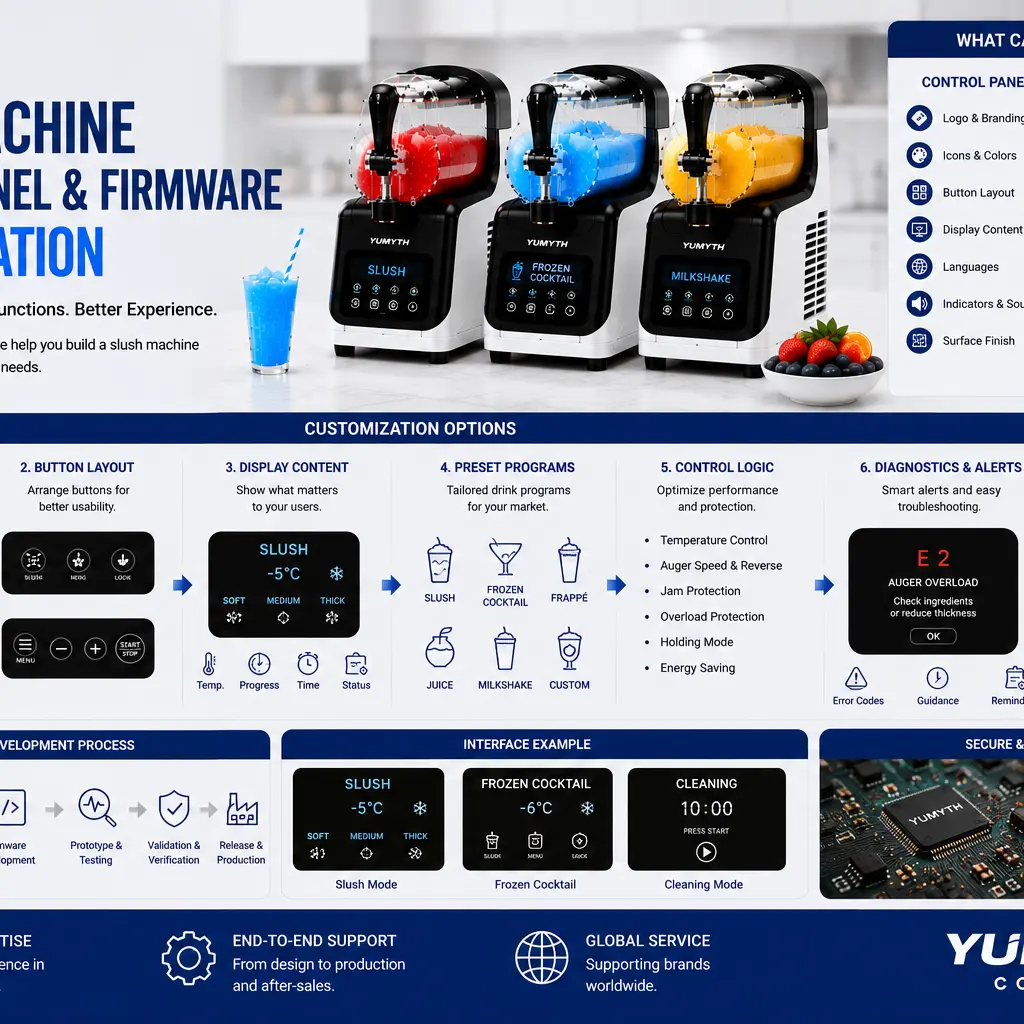
It's crucial that appliance manufacturers distinguish between cosmetic changes to the control panel and functional changes to the firmware. Normally cosmetic changes are executed quicker and with less technical hazard. Modifications to the firmware needs to ensure that the different functions of the compressor, auger motor, temperature sensors, alarms and protection systems work co-ordinately and must be validated and version controlled.
The first step in a successful customization project is a list of the user functions and target recipes, languages, safety behaviour and market requirements.
Artwork for the Control Panel can be customized.
The easiest solution is to retain the current electronics and firmware and simply replace the artwork on the control-panel with a new design.
These can be customized to include:
- * Brand logo;
- * Button names;
- * Program icons;
- * Printed colors;
- * Language;
- * Warning symbols;
- * Surface finish;
- * Indicator descriptions.
It is best suited when the current functions already fulfill the brand's product requirements.
For instance, an existing program called “Frozen Drink” can be changed to “Slush” as long as the behavior of the program does not change. The new name should properly describe the function and be consistent with the user manual, packaging, recipe guide and information that is provided on the internet.
Printed films, screen printing, labels, laser marking or molded symbols can all be used to create panel graphics. The process chosen should be able to withstand repeated handling, moisture, cleaning agents, and temperature fluctuations.
The layout and architecture of the buttons.
Brands can also demand a unique button configuration or control-panel shape.
Possible changes include:
- * Moving buttons;
- * Increasing button size;
- * Replacing mechanical locking with touch locks; and
- * Adding more nodes to a tree; and
- * Rotating the display; and
- * Reducing the amount of strain on the system; and
- * Adding indicator lights;
- Adding child lock function.
If there are no changes in the positions of the existing switches, another printed layout may be available without changing the PCB. Changing actual buttons normally involves changing the PCB, wiring, housing or panel mold.
Usability and aesthetics should both be considered by the engineering team. Common controls need to be easily recognizable and safety-critical functions not inadvertently triggered.
Special attention should be given to touch controls, due to the fact that water, condensation, gloves and wet fingers can impact sensitivity. The interface must be tested under a realistic kitchen and cleaning environment.
Show Content is available to be adapted.
Digital displays offer greater flexibility than static print displays.
A special display can present:
- * Program name;
- * Beverage temperature;
- * Texture level;
- * Remaining preparation time;
- * Cleaning status;
- * Error codes;
- * Holding mode;
- * Child-lock status;
- * Maintenance reminders.
Segment displays are not very flexible since the characters and symbols that are displayed are determined by the display hardware. LCD or TFT displays can be used to display more complex graphics, animations and languages, but are more expensive, complex in software, require more components and more power.
The information on display should not be misleading. For example, don't use a countdown timer that suggests all recipes will take the same amount of time to freeze. The amount of time it will take is dependent on the amount of sugar in the product, the initial temperature, the ambient temperature, the alcohol level, and the type of texture.
If the completion time can't be estimated accurately, a progress meter might be more user friendly than a strict countdown.
Preset Drink Programs may be tailored to suit your requirements.
It is possible to create firmware in various operating programs for brand's target market.
Possible programs include:
- * Slush;
- * Frozen cocktail;
- * Frappé;
- * Juice drink;
- * Milkshake;
- * Frozen coffee;
- * Cleaning;
- * Custom texture mode.
A program is more than just a name or an icon. It can regulate multiple operating parameters such as:
- * Compressor operation;
- * Target evaporator temperature;
- * Beverage temperature;
- * Auger speed;
- * Auger direction;
- * Motor-current limit;
- * Automatic reversal;
- * Holding behavior;
- * Error thresholds.
There should be defined recipes and test conditions within each program. It is recommended to test the frozen-cocktail mode with an approved alcohol range and the low-sugar mode with hard-freezing and auger-overload risks.
The more programs that are added that have not been tested, the more confusion and warranty claims will result. It is often better to have a few well-defined and well-tested programs than a long list of similar ones.
The temperature and texture settings.
Some brands prefer to offer distinct slush thickness and/or serving temperature choices.
The control panel may have features like:
- * Soft;
- * Medium;
- * Thick;
- Lower, medium and higher texture;
- * Adjustable temperature levels;
- * Custom memory mode.
Typically, these are the settings that are adjusted by changing the firmware targets, compressor cycling, and auger control.
Temperature is not the only method that can be used to control texture. The formulation of the beverages also influences the end product. The low sugar and high sugar drinks can have different responses at a given temperature reading.
The control system will then have to utilize a number of signals such as beverage temperature, evaporator temperature, motor current, operating time, etc.
Explain how the composition of ingredients will influence the texture, and give a recipe range that's been validated by the user manual.
Auger Jam-Protection Logic
Firmware is essential to safeguard the auger, motor, gearbox and drive coupling.
A bespoke protection plan can involve:
- 1. Monitoring motor current;
- 2. Detecting abnormal resistance;
- 3. Pausing compressor cooling;
- 4. Stopping the auger;
- 5. Reversing auger for a certain amount of time;
- 6. Attempting controlled recovery;
- 7. Showing error message if blockage is still present.
Brands may ask for other warning or recovery actions, but safety limits should not be lowered to decrease the number of errors.
If the protection threshold is too low, it can cause disruption in the normal freezing process. Too high will result in excessive motor heating or mechanical stress.
Normal recipes, high viscosity recipes, low sugar beverages, controlled obstructions and repeated overload cycles should be used to test jam-protection changes.
Cleaning-Program Customization
A cleaning program can be established to cycle the auger during the water run through the water tank and dispensing system.
The firmware can control:
- * Auger speed;
- * Rotation direction;
- * Program duration;
- * Pause intervals;
- * Water-temperature warning;
- * Completion alert;
- * Drain instructions.
While an automatic rinse mode may help minimize residue prior to disassembly, this should not be touted as a complete cleaning procedure unless the entire food-contact system has been shown to be suitable for this method of cleaning.
The interface should make it clear that which parts are still needed to be taken out and cleaned.
Brands can also ask for reminders to clean based on operating hours or the number of cycles. These reminders are meant to be useful and not too cumbersome to reset or to interrupt the operation.
Error Codes and User Guidance.
Tailored error messages can make troubleshooting easier, and minimise returns of products.
The system can detect a situation like:
- * Tank not installed;
- * Lid not locked;
- * Temperature-sensor fault;
- * Auger overload;
- * Condenser overheating;
- * Fan failure;
- * Beverage not freezing;
- * Incorrect recipe condition;
- * Cleaning required.
An error code should describe the nature of the error and offer practical action to take for the next step. General information like “E1” is not very helpful without being elaborated in the manual what the user should check.
Brands are able to personalize visible text, icons, buzzer patterns and troubleshooting instructions. But the diagnostic logic should be checked for correctness to avoid miswarnings.
Service teams should also be provided with a comprehensive fault code table, along with potential causes, inspection procedures and accepted corrective measures.
Language & Regional Customization.
Localization of control panels can be achieved by translating text, using symbols or by offering language selectable display.
Standardised symbols can help minimise the need to print separate panels, however the symbols should be easily understood by the consumer.
The brand should look at:
- * Translation accuracy;
- * Character length;
- * Display limitations;
- * Regional terminology;
- * Manual consistency;
- * Safety-warning requirements.
In other parts of the world, the same item might be called a slush, slushie, granita, frozen cocktail or frozen beverage. The language chosen should be relevant to the positioning of the target customer and the product.
There are advantages to using a universal display, and advantages to using separate panels for more localized branding.
The startup screens and Brand Experience.
Some machines may have an appropriate brand logo or startup animation.
This is a great way to reinforce brand identity, but should not cause delay when turning on the appliance or prevent safety messages from being displayed. Starting up should be clear and responsive.
The alert sounds can be personalized as well. Brands have the option to stipulate different tones for:
- * Program start;
- * Slush ready;
- * Cleaning complete;
- * Error warning;
- * Child lock;
- * Button response.
The responses should be tested in a typical household setting. Alerts need to be audible but not inappropriately loud or irritating.
Note: Hardware changes may be needed.
Not all firmware updates can be performed on a software basis.
New functions to be available:
- * Additional temperature sensors;
- * Motor-speed feedback;
- * Current-sensing circuits;
- * New buttons;
- * Larger displays;
- * Additional memory;
- * A different microcontroller;
- * Wireless modules;
- * Revised PCB layout.
For instance, if there is no suitable current-sensing hardware in the control board, the brand cannot add accurate monitoring of motor loads.
The OEM supplier will need to verify if this is a function that the current PCB can perform. Changes in hardware might result in higher development time, MOQ, component cost, scope of certification, and testing requirements.
Firmware testing and validation
Any customised firmware should be validated through a structured validation program prior to approval.
Testing should cover:
- * Power-on behavior;
- * Every preset program;
- * Button combinations;
- * Display and language;
- * Compressor control;
- * Auger operation;
- * Temperature sensing;
- * Holding mode;
- * Cleaning mode;
- * Jam protection;
- * Error handling;
- * Power interruption;
- * Restart behavior;
- High and/or low voltage;
- * Sensor faults.
The declared fill volumes, sugar ranges, alcohol ranges and ambient temperature should be included in recipe testing.
A software that works well for a brief demo can fail to work under other conditions, such as extended holding, repeated batches and abnormal conditions.
Firmware Version Control
Each approved firmware release should have a different version number.
The project records should contain:
- * Firmware version;
- * PCB version;
- * Release date;
- * Modification of the previous version;
- * Validation results;
- * Compatible product models;
- * Approved production date.
It is advisable for the factory to check if the correct version is programmed when assembling the PCB. The risk of installing the wrong firmware is lowered with the use of a barcode or digital verification.
Software should not be given to production units without approval and validation from the brand. Any change, no matter how minor, in the temperature or motor thresholds can impact performance, safety, or certification.
Certification Impact
Changes in control-panel or firmware that change safety-related operation may impact certification.
Rates of change in compressor control, motor protection, temperature limits and error handling, wireless functions, or abnormal operation behavior may necessitate laboratory review.
Label changes or warning symbols and ratings are generally less significant with cosmetic artwork changes.
It is important that the brand and OEM supplier determine which functions are critical to safety in the firmware. The documentation, fault analysis, test coverage and change control of these functions are to be strengthened.
MOQ, Cost, and Lead Time
Customisation levels affect the commercialization impact.
Normally basic artwork changes necessitate the least speculation and lead time. Progressively more engineering is required for new display graphics, PCB layouts, firmware functions, sensors and control logic.
Costs may include:
- * Control-panel tooling;
- * PCB development;
- * Display development;
- * Firmware engineering;
- * Prototype preparation;
- * Testing;
- * Certification review;
- * Dedicated component purchasing.
Before asking for a lot of software modifications, brands must first determine which functions are adding actual value to their customers.
Conclusion
The slush machine control panel and firmware can be programmed at various levels, including logos and button labelling, as well as sophisticated drink schedules, texture management, cleaning routines, jam protection and diagnostics.
Cosmetic changes can be done fairly rapidly on an existing platform. Functional customization involves software, sensor, electronics, refrigeration and mechanical system coordination.
Appliance brands require clear requirements, sensible recipe validation, controlled firmware versions, comprehensive abnormal condition testing and early planning of certification.
The interface itself should look different but also be well designed. It should improve the usability, safety, ease of troubleshooting, and fit for brand's target consumer base.
Related Articles

How Does a Slush Machine Work Without Ice?
2026-10-29
BY arafatshuvo509
Traditional blender's use of crushed ice to mix an ingredient into a thick, cold drink is replaced by today's slush makers which are able to achieve the same result using ...
Compressor Slush Machine: Cooling System and Mixing Technology
2026-10-29
BY arafatshuvo509
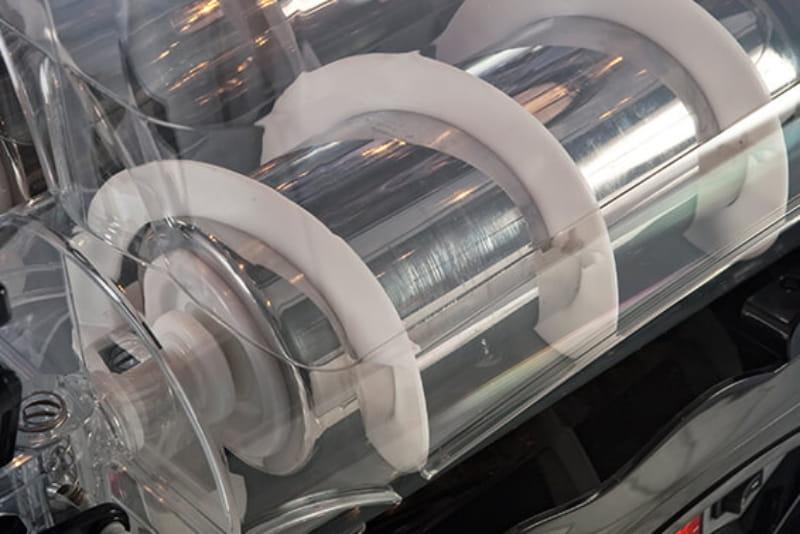
A compressor slush machine utilizes an integral refrigeration process with continuous mechanical agitation of the refrigerated liquid to produce semi-frozen (slushy) liquids by creating ice crystals directly from the liquid. ...
Ice Maker for Small Kitchen: Compact Design for Apartment Living
2026-10-27
BY YUMYTH
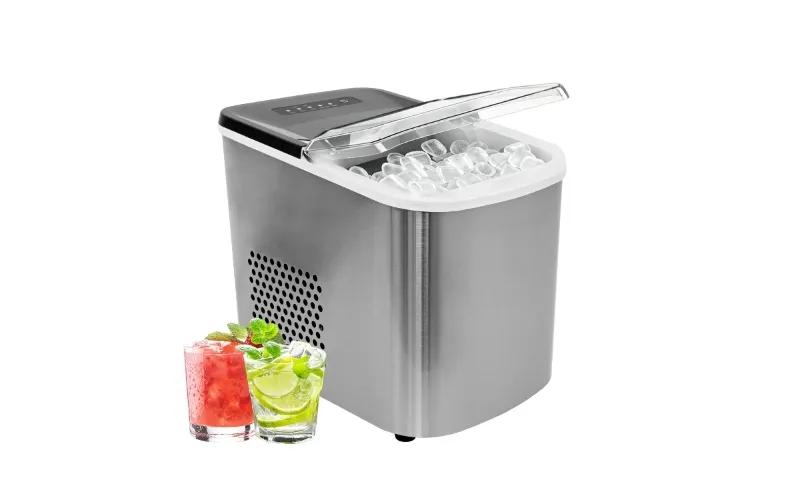
An ice maker that fits on an apartment countertop may still be difficult to operate. A wall can obstruct condenser airflow, an overhead cabinet can prevent the lid from opening ...
2026 Freestanding Ice Maker Trends: Clear Ice, R290, and Smart Controls
2026-10-27
BY YUMYTH
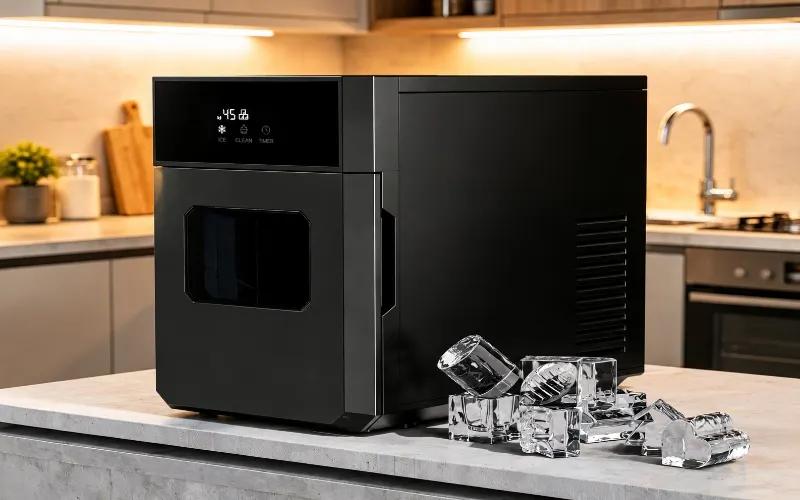
A freestanding ice maker that can produce 12.6 kg of ice in a day may still not meet expectations. Its ice may turn cloudy because of short freezing cycles, it ...